cPanel Alternative: Why We Built OptionPanel
OptionPanel is OptionWeb's in-house hosting panel, replacing cPanel across our entire infrastructure. Each client gets an isolated Docker stack (no shared-hosting neighbors): static sites + Node.js 20, a dedicated MongoDB 7 database, email with DKIM, DNS, backups and automatic Let's Encrypt SSL via Traefik. Stable pricing from €9.99 to €19.99/month, with no license fee billed on top. One deliberate limit: no shared PHP/WordPress.

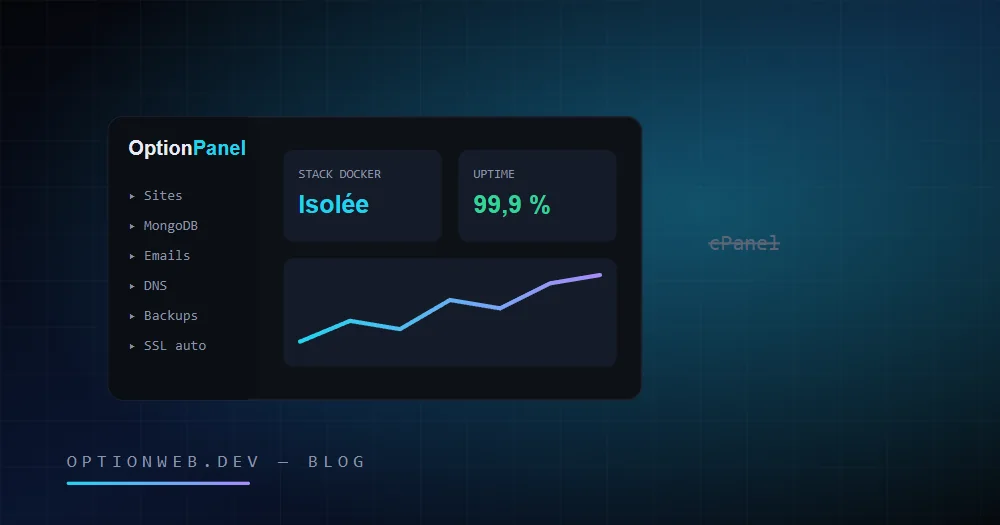
OptionPanel is the hosting control panel we developed in-house at OptionWeb to replace cPanel. Every client gets an isolated Docker stack — static sites and Node.js 20, a dedicated MongoDB 7 database, email with DKIM, DNS, backups and automatic Let's Encrypt SSL — at a stable price of €9.99 to €19.99/month, with no license fee billed on top.
This article is not a marketing page. It is the technical story of why a Belgian agency from Châtelet decided to stop depending on cPanel, what it built instead, what that concretely changes for its clients — and what OptionPanel deliberately does not do.
1. Why did we leave cPanel?
cPanel was an excellent product for the web hosting of the 2000–2015 era: Apache, PHP, MySQL, FTP, all manageable by a non-technical user. But four structural problems kept piling up, and none of them was going to solve itself.
The per-account license fee, rising year after year
Since cPanel switched to per-hosted-account pricing in 2019, the license cost has gone up year after year. For a hosting provider, every additional client inflates the license bill — a cost that can only be absorbed in two ways: passing it on to prices, or cramming more clients onto each server to dilute the bill. Both options degrade the service.
That is exactly what the market shows: shared hosts raising their rates at renewal, or squeezing hundreds of accounts onto the same machine. We wanted neither. Our plans are €9.99, €13.99 and €19.99/month — and they can stay that way because no third-party vendor decides our costs on our behalf.
The weight of the PHP legacy and the LVE band-aids
cPanel is designed around a twenty-five-year-old model: a shared Linux server, Apache, coexisting PHP versions, a common MySQL database, FTP accounts. To stop one resource-hungry site from starving its neighbors, the ecosystem has piled up patches — CloudLinux, LVE, CageFS — that limit the damage without fixing the underlying problem: everyone shares the same system.
When the industry-standard solution is to add a paid layer to contain the side effects of the architecture, the architecture has had its day. Containerization solves the problem at the root: each client in their own environment, full stop.
An enormous attack surface
A cPanel/WHM installation exposes a considerable perimeter: the panel itself, the admin interface, the Exim mail server, FTP, phpMyAdmin, dozens of services running with elevated privileges on a machine that hosts every client. Vulnerabilities are regularly discovered and patched there — inevitable for a codebase of that size and age. The real problem lies elsewhere: when a flaw is exploited on a shared server, potentially every site on the machine is compromised at once.
A tool that was never designed for modern stacks
We build sites in Next.js and Node.js applications with MongoDB. On cPanel, that kind of project is a second-class citizen: Node.js support is bolted on after the fact, MongoDB simply does not exist in the ecosystem, and a static site — the fastest and safest form of the web — gets served by the same Apache/PHP machinery as everything else. We were paying an ever more expensive license for a tool we barely used.
2. What did we build instead?
OptionPanel is our in-house panel, developed internally and operated exclusively on our own infrastructure. Its founding principle fits in one sentence: isolation by default. Where cPanel makes dozens of clients cohabit on the same system, OptionPanel gives every client their own Docker stack, walled off from the others.
Concretely, here is what each client's environment contains:
- Isolated Docker stack per client — Your sites run in containers that belong to you alone. No shared-hosting neighbors: a third-party site that crashes, saturates or gets compromised has no access whatsoever to your environment.
- Static sites + Node.js 20 — The two forms that dominate the modern web: ultra-fast static (exported Next.js, HTML/CSS/JS) and Node.js 20 applications for anything dynamic.
- Dedicated MongoDB 7 database — Each client receives their own MongoDB 7 database — not a schema on a shared MySQL server. Your data lives within your perimeter, with your own credentials.
- Email + webmail + DKIM — Professional email addresses on your domain, webmail included, and a DKIM signature configured for deliverability — essential since Gmail and Outlook tightened their rules.
- Built-in DNS management — Your DNS zones are managed directly in the panel: A, CNAME, MX, TXT, SPF records. No back-and-forth between a registrar and a hosting provider.
- Web file manager — Upload, edit and organize your files over HTTPS, straight from the browser. FTP, the unencrypted protocol of the 90s, is simply not exposed.
- Automatic backups — Backups included on every plan, restorable without any technical work on your side.
- Automatic Let's Encrypt SSL via Traefik — The HTTPS certificate is issued and renewed automatically by Traefik, our reverse proxy. Zero action, zero expired certificates, zero cost.
The important point: OptionPanel is not a rewritten cPanel. It is a different architecture. Traefik routes traffic to each client's containers and handles SSL upstream; client stacks are independent of one another; and the panel is merely the control window over the whole — not a behemoth holding the keys to the entire machine.
3. cPanel vs OptionPanel: the honest comparison
| Criterion | cPanel (classic shared hosting) | OptionPanel |
|---|---|---|
| Isolation | Accounts cohabiting on the same OS, contained by LVE/CageFS | Isolated Docker stack per client |
| Application stack | Apache + PHP + MySQL, Node.js bolted on after the fact | Static sites + Node.js 20, native by design |
| Database | MySQL shared between the server's accounts | MongoDB 7 dedicated to each client |
| SSL | AutoSSL, depending on the host's configuration | Automatic Let's Encrypt via Traefik, included |
| License cost | Per-account license, rising year after year, passed on to the client | No third-party license: stable price €9.99–19.99/month |
| Attack surface | Panel + WHM + Exim + FTP + phpMyAdmin on a shared machine | Reduced perimeter, a compromise stays confined to the container |
| File transfer | FTP/SFTP | Web file manager over HTTPS |
| WordPress / PHP | Yes, that is its core business | No — by design: we migrate to Next.js |
This table is deliberately honest on its last row: if what you need is to host a WordPress site as-is at the lowest possible price, cPanel remains the tool built for that, and we will not pretend otherwise. Our bet is a different one — we come back to it below.
4. What does this concretely change for your website?
The architecture is our problem. What concerns you are the measurable effects on the client side. There are three.
Performance that does not depend on your neighbors
On classic shared hosting, your loading time depends on what the other sites on the machine are doing: a neighboring shop in the middle of a sale can slow down your showcase site. With an isolated stack, your resources are yours. And since we serve static files or Node.js — not a WordPress rebuilding every page in PHP on every visit — response times are structurally better, which shows in your Core Web Vitals and therefore in your SEO.
Security by design, not by patchwork
Docker isolation confines incidents: one compromised site does not open the door to the others. Add the absence of shared PHP (the prime target of automated attacks on the web), the absence of exposed FTP, SSL renewed without human intervention, anti-DDoS protection and automatic backups. Fewer exposed components means fewer things that can go wrong.
A price that will not move at renewal
This may be the most concrete effect for an SMB: no cPanel license in our costs, so no vendor price hike to pass on. The three OptionPanel plans are simple, with no teaser price that doubles in year two:
| Plan | Price | Sites | Storage |
|---|---|---|---|
| Starter | €9.99/month | 1 site | 3 GB SSD |
| Business | €13.99/month | 2 sites | 10 GB NVMe |
| Enterprise | €19.99/month | Unlimited sites | 25 GB |
Every plan includes the same foundation: 99.9% uptime, automatic SSL, anti-DDoS, backups, email + webmail, DNS management and the file manager. The only differences are the number of sites and the disk space.
5. What OptionPanel does not do (and why that is deliberate)
An honest article has to say what the product does not do. OptionPanel is not a general-purpose shared hosting service, and three absences are deliberate choices, not gaps waiting to be fixed.
- No PHP, no shared WordPress — Reintroducing shared PHP would mean reintroducing exactly the attack surface and the maintenance debt we walked away from. When a client comes to us with a WordPress site, we do not host it as-is: we migrate it to Next.js, preserving content, URLs and accumulated SEO.
- No MySQL — Our standard is MongoDB 7, as a dedicated database per client. A project that strictly requires MySQL is not a project for OptionPanel — and we say so at the quote stage, not after the contract is signed.
- No FTP — The web file manager covers the real needs (upload, editing, organization) over HTTPS, without exposing a legacy protocol that transmits credentials in plain text in its basic form.
This positioning has a deliberate consequence: we do not sell OptionPanel as a standalone product to webmasters. It is the hosting foundation for the sites we build and maintain. Migrating a WordPress site to Next.js has in fact become one of our most frequent projects — we documented the full approach in our WordPress to Next.js migration guide.
OptionPanel in practice: where to start?
Three years after the decision to leave cPanel, the outcome is simple: costs we control end to end, incidents confined by design, and a stack aligned with what we actually build for our clients. The blank-sheet bet cost us development time — today it makes us independent of an American vendor's roadmap and pricing.
If your site currently runs on cPanel shared hosting and you want a serious comparison, our complete guide to web hosting in Belgium lays out the objective criteria. And if you want to know how your site — WordPress included — would perform on a modern isolated stack, request a free quote: answer within 48 hours, migration handled by us, hosting plans from €9.99 to €19.99/month.
Read next
Belgian web hosting in 2026: the complete guide for SMBs
How to choose a Belgian web host in 2026 — selection criteria, real costs, GDPR compliance, local datacenters, performance. Practical guide by OptionWeb.
Migrating from WordPress to Next.js: step-by-step guide 2026
Complete plan to migrate a WordPress site to Next.js static export without losing SEO: audit, content export, 301 redirects, UI redesign, measuring performance gains.
How much does a professional website cost in Belgium in 2026?
Pricing guide: honest ranges for brochure sites, e-commerce, SaaS, custom builds. Quote breakdown, hidden costs, freelancer vs agency, real ROI and transparent pricing grid.