SSL Certificate Guide 2026: HTTPS and TLS 1.3 Explained
An SSL/TLS certificate encrypts the traffic between a website and its visitors and enables HTTPS. In 2026 it is essential: Chrome flags every HTTP site as “Not secure” and Google has confirmed HTTPS as an SEO signal since 2014. A free Let's Encrypt certificate, renewed automatically every 90 days, covers the needs of most SMBs. At OptionWeb, SSL is included and auto-renewed on every OptionPanel hosting plan.

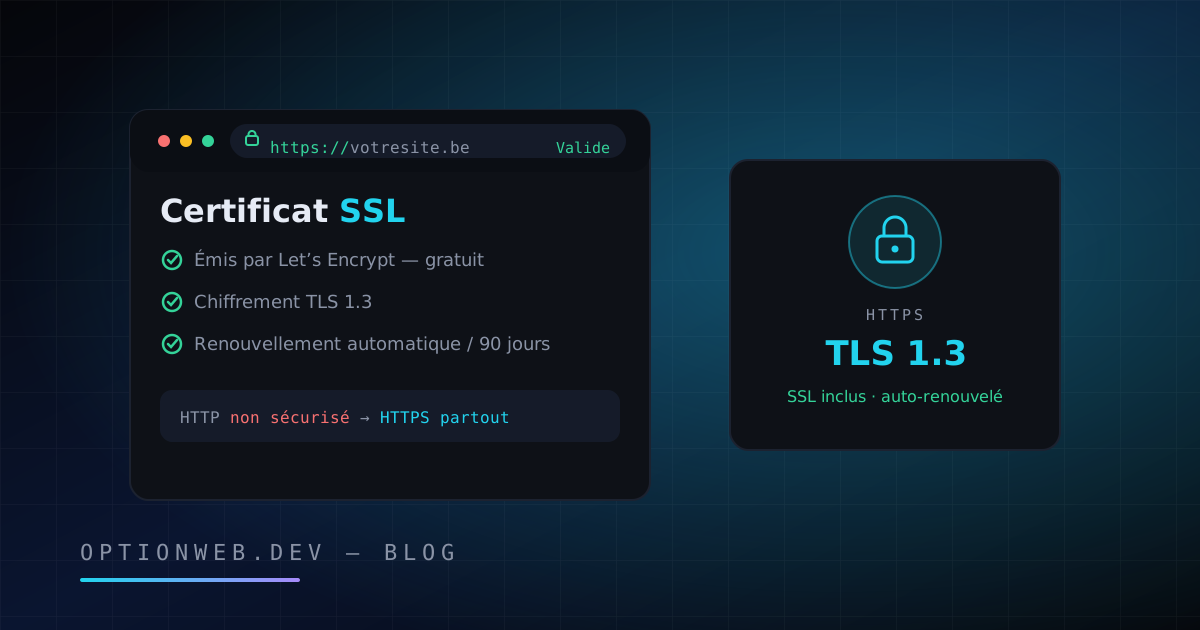
An SSL certificate is a digital file that encrypts the traffic between a website and its visitors, enables HTTPS and displays the padlock in the browser. In 2026 it is mandatory in all but name: Chrome marks every HTTP site as “Not secure”, Google has used HTTPS as a ranking signal since 2014, and a free Let's Encrypt certificate covers the needs of most Belgian SMBs.
This guide explains, without needless jargon, what an SSL certificate actually does, which type to choose, why the free option is almost always enough, how to check your setup and how to migrate to HTTPS without wrecking your search rankings. Julien Daniel, founder of OptionWeb, has been installing and renewing SSL certificates for Belgian SMBs since 2014: here is the honest version, with no upselling.
1. What is an SSL certificate and what does it actually do?
An SSL certificate is a digital identity card issued for your domain name by a certificate authority such as Let's Encrypt or Sectigo. It lets the browser verify that it is really talking to your server, then establish an encrypted connection. In practical terms, it turns the http:// address into https:// and makes the padlock appear.
Without a certificate, everything traveling between the visitor and the site goes over the network in plain text: passwords, contact details, card numbers. Any intermediary on the network — public wifi, for instance — can read or tamper with that data. An SSL certificate performs three distinct functions.
- Encryption — The data exchanged is made unreadable to anyone intercepting the connection. A contact form or an online payment cannot be spied on in transit.
- Authentication — The certificate proves that the responding server really belongs to the domain shown. A visitor who types yoursite.be is talking to yoursite.be, not to a rogue server impersonating it.
- Integrity — The data cannot be altered along the way. Nobody can inject ads, a malicious script or a fake account number into your pages while they are being transferred.
A quick point of vocabulary: SSL is the protocol's old name, retired in 2015 for security reasons. The protocol actually used in 2026 is called TLS, in version 1.2 or 1.3. Out of habit, everyone still says “SSL certificate”. Throughout this guide, SSL and TLS mean the same thing: the encryption of your website.
2. Why is HTTPS mandatory in 2026?
HTTPS is mandatory in 2026 because browsers actively penalize HTTP sites, Google uses it as a ranking factor and the GDPR requires personal data to be protected in transit. According to the Google Transparency Report, more than 95% of pages loaded in Chrome are already served over HTTPS. An HTTP site now stands out as a suspicious exception.
- Browsers block or warn — Since 2018, Chrome has flagged every HTTP site as “Not secure”. In 2026, Chrome and Firefox go further: HTTPS-First mode systematically tries the encrypted version and shows a full-screen warning before loading an HTTP page.
- Google confirms the SEO signal — HTTPS has been an official Google ranking signal since 2014. The signal is lightweight, but all else being equal, the encrypted version wins. Above all, a security warning drives visitors away, which degrades behavioral signals.
- The GDPR requires it in practice — Article 32 of the GDPR mandates appropriate technical measures to protect personal data. Sending a contact form in plain text is indefensible before the Data Protection Authority. Our guide to GDPR compliance for websites covers these obligations in detail.
- Trust drives conversion — According to the Baymard Institute, around 19% of cart abandonments are linked to a lack of trust in the site at the moment of handing over card details. The padlock alone is not enough to reassure, but its absence is enough to make people leave.
HTTPS is also a technical prerequisite: browsers reserve modern features for encrypted sites. Geolocation, notifications, one-click payment, HTTP/2 and HTTP/3 all require an HTTPS connection. An HTTP site is therefore less secure, less visible and technically hamstrung, all at once.
3. DV, OV, EV, wildcard: which SSL certificate should you choose?
There are three validation levels — DV, OV and EV — and two coverage formats, wildcard and multi-domain. The difference lies in what the certificate authority verifies before issuing the certificate, not in the strength of the encryption. A free DV certificate encrypts exactly as well as an EV certificate costing €300 a year.
| Type | What is verified | Issuance time | Indicative 2026 price | Best for |
|---|---|---|---|---|
| DV (Domain Validation) | Control of the domain name only | A few minutes | Free (Let's Encrypt) to €50/year | The vast majority of sites: brochure sites, blogs, SMB e-commerce |
| OV (Organization Validation) | The domain + the company's legal existence | 1 to 3 days | €50 to €150/year | Companies wanting their legal name shown in the certificate |
| EV (Extended Validation) | In-depth legal vetting of the organization | 3 to 10 days | €150 to €400/year | Banks, insurers, heavily regulated sectors |
| Wildcard (*.domain.be) | Depends on the DV or OV level chosen | Minutes to a few days | Free (Let's Encrypt DNS) to €250/year | Sites with several subdomains: app, shop, intranet |
| Multi-domain (SAN) | Depends on the level chosen, several domains covered | Minutes to a few days | Free to €300/year depending on the number of names | Groups managing several domains on a single server |
The honest truth few resellers put front and center: for a Belgian SMB, a free DV certificate such as Let's Encrypt is enough in the overwhelming majority of cases. The encryption is identical, installation is faster and renewal can be automated. OV and EV certificates are justified mainly by contractual or industry requirements, not by any technical security gain.
As for EV, its main selling point is gone: the famous “green bar” showing the company name has not been displayed by Chrome or Firefox since 2019. In 2026, an EV certificate is visually indistinguishable from a DV certificate for the visitor. Paying €300 a year for an indicator no browser displays anymore is rarely money well spent.
4. Free or paid SSL certificate: which one should you pick?
A free Let's Encrypt certificate is the right default choice for an SMB website in 2026. Let's Encrypt is a non-profit certificate authority securing more than 450 million websites worldwide, according to figures it published in 2025. A paid certificate still makes sense in specific cases: mandatory OV/EV validation, a contractual financial warranty or dedicated support.
| Criterion | Let's Encrypt (free) | Paid certificate (DV/OV/EV) |
|---|---|---|
| Price | €0 | €20 to €400/year depending on the level |
| Encryption strength | Identical (TLS 1.2 / 1.3) | Identical (TLS 1.2 / 1.3) |
| Validity period | 90 days, renewed automatically | Up to a maximum of 200 days from March 2026 |
| Renewal | Automatic via the ACME protocol | Often manual, a classic source of oversights and outages |
| Available levels | DV only (wildcard included) | DV, OV, EV |
| Financial warranty | None | $10,000 to $1,750,000 depending on the offer, very rarely paid out |
| Support | Community-based | Support from the authority or the reseller |
| Browser recognition | 100% of modern browsers | 100% of modern browsers |
The key development for 2026 is certificate lifetime. The CA/Browser Forum, the body that brings browsers and certificate authorities together, has approved a phased reduction: a 200-day maximum from March 2026, 100 days in 2027, then 47 days by 2029. The direct consequence: manual renewal is becoming untenable. Automation via ACME, the protocol used by Let's Encrypt, is no longer a convenience but a necessity.
5. How do you check your SSL certificate in 5 steps?
Checking an SSL certificate takes less than ten minutes with two free tools: the browser itself and the Qualys SSL Labs test. The goal is to confirm four things: the certificate is valid, it covers the right domain names, the TLS configuration is modern and no resource still leaks over HTTP.
- Open your site and click the padlock in the address bar. Check for the “Connection is secure” message. If a warning triangle appears instead, there is a problem to fix immediately.
- Display the certificate details: check the domain name covered (with and without www), the issuing authority and, above all, the expiry date. Note that date or, better still, confirm that renewal is automated.
- Run a full test at ssllabs.com/ssltest. The tool assigns a grade from A+ to F. Aim for A or A+. A B or C grade points to obsolete protocols (TLS 1.0/1.1) or an incomplete certificate chain.
- Test the www version and the non-www version, plus http://: all four variants must end in a 301 redirect to a single canonical HTTPS address.
- Open the browser console (F12) and reload the page: any “mixed content” warning means an image, script or font is still loading over HTTP, which breaks the padlock.
The 4 most common SSL errors
- The expired certificate — The most frequent and most costly error. The site becomes unreachable overnight, behind a full-screen warning. The usual cause: a forgotten manual renewal, or a broken renewal script nobody is monitoring.
- Mixed content — The page is served over HTTPS but loads images or scripts over HTTP. The browser blocks those resources or removes the padlock. Common after a migration: http:// URLs remain hard-coded in the database or the theme.
- The missing www redirect — The certificate covers yoursite.be but not www.yoursite.be, or the other way round. Visitors who type the uncovered variant hit a security error. The certificate must cover both names, with a 301 redirect to the canonical version.
- The incomplete certificate chain — The server sends the end certificate without the intermediate certificates. The site works in some browsers and not in others, which makes diagnosis confusing. SSL Labs spots the problem instantly (look for “chain issues”).
6. TLS 1.3 and HSTS: what do they actually change?
TLS 1.3 is the latest version of the encryption protocol, standardized in 2018 and now widely deployed. HSTS is an HTTP header that tells the browser never again to attempt an unencrypted connection to your domain. Together they form the reference configuration for 2026: faster and safer than TLS 1.2 alone.
In practice, TLS 1.3 brings two improvements. First, speed: establishing the encrypted connection now takes a single network round trip instead of two, saving several dozen milliseconds on every first visit. Second, security: TLS 1.3 removes all the obsolete algorithms behind the historical vulnerabilities of TLS 1.2. According to Qualys SSL Pulse data, around 70% of the most visited sites already support TLS 1.3.
HSTS (HTTP Strict Transport Security) closes the last gap in HTTPS: the very first request. Without HSTS, a visitor who types yoursite.be without specifying https:// briefly passes through HTTP before the redirect — a window that can be exploited on a hostile network. With HSTS, the browser remembers that your domain is HTTPS-only and never sends a plain-text request again. Enabling it takes a single HTTP header.
# En-tête HSTS : force le HTTPS pendant 2 ans, sous-domaines inclus
add_header Strict-Transport-Security "max-age=63072000; includeSubDomains; preload" always;
One precaution before enabling HSTS: make sure all your subdomains work over HTTPS, because the includeSubDomains directive commits every one of them. The preload flag registers the domain in the browsers' built-in list via hstspreload.org; it is powerful but nearly irreversible, so reserve it for stabilized configurations. On OptionWeb's OptionPanel hosting plans, TLS 1.3 and HSTS are configured by default.
7. How do you migrate from HTTP to HTTPS without losing SEO?
A successful HTTP-to-HTTPS migration rests on three pillars: exhaustive 301 redirects, updating every internal URL and declaring the new version in Google Search Console. Google treats the change like a site move: done well, the SEO impact is neutral or positive; botched, it costs rankings for months.
- Install the certificate and test the HTTPS version in a private window before setting up any redirect: key pages, forms, checkout flow.
- Set up 301 redirects (permanent, never 302) from every HTTP URL to its exact HTTPS equivalent, page by page, not just to the homepage.
- Replace every internal http:// URL in the content, menus, database and theme to eliminate mixed content and redirect chains.
- Update the canonical tags, the XML sitemap and the robots.txt file so they point exclusively to the HTTPS URLs.
- Add the HTTPS property in Google Search Console, submit the new sitemap and check that the old HTTP property shows indexing gradually transferring over.
- Update the external references you control: Google Business profile, social networks, directories, email signatures, advertising campaigns.
- Monitor the coverage and performance reports in Search Console for 4 to 8 weeks to catch 404 errors, redirect chains and unindexed pages.
The most commonly overlooked point is redirect granularity. A blanket redirect from the entire HTTP site to the HTTPS homepage alone destroys the SEO value each internal page has built up. Every URL must redirect to its exact equivalent. On a medium-sized site, this is done with a rewrite rule, not page by page by hand.
Expect ranking fluctuations for two to six weeks while Google reindexes everything under HTTPS. That is normal and temporary. If your site is already on HTTPS but is carrying other technical debt, our complete SEO guide for SMBs covers the priority work beyond encryption.
In short: the SSL certificate has become a free, automatable commodity — but a critical one. A properly configured Let's Encrypt DV certificate, TLS 1.3, HSTS and automatic renewal cover 95% of an SMB's needs. The real risk in 2026 is not choosing the wrong certificate; it is letting the right one expire.
OptionWeb, a web agency founded in 2014 in Châtelet, Hainaut, includes automatic SSL in all its OptionPanel hosting plans and handles complete HTTPS migrations, redirects and Search Console included. Unsure about your certificate, or planning a migration? Quote within 24 hours via contact@optionweb.dev or on +32 491 14 01 01, with meetings possible in Charleroi, Namur, Liège, Mons or Brussels.