Professional Email Address on Your Own Domain in 2026
A professional email address uses your own domain name (contact@yourcompany.be) instead of Gmail or Outlook.com. There are four options: email included with your hosting (no extra cost at OptionWeb), Google Workspace (€6 to €14/user/month), Microsoft 365 (€5 to €12/user/month), or a self-hosted mail server, not recommended for SMEs. Three DNS records — SPF, DKIM and DMARC — decide whether your messages reach the inbox.

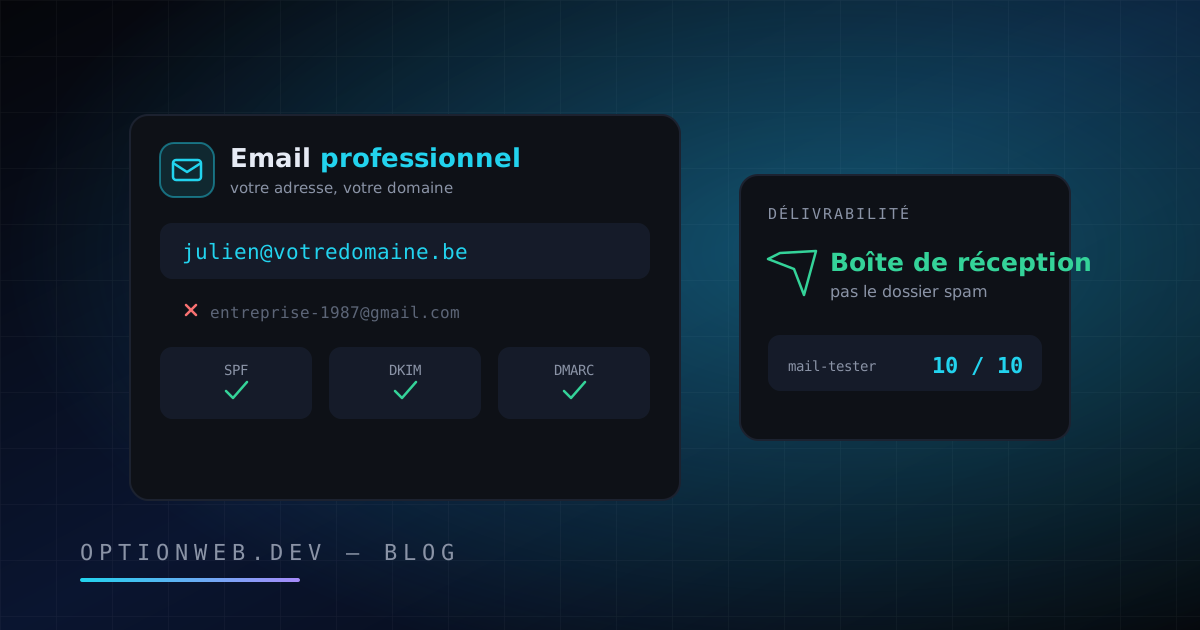
A professional email address is one that uses your own domain name, such as contact@yourcompany.be, instead of a free service like Gmail or Outlook.com. Setting one up takes three steps: register a domain name, choose an email service (email included with your hosting, Google Workspace or Microsoft 365), then configure three DNS records: SPF, DKIM and DMARC. At OptionWeb, email addresses are included with hosting from €9.99/month, with no per-user surcharge.
The stakes are real: according to the Radicati Group, roughly 375 billion emails are sent worldwide every day in 2026. Email remains the number one contact channel between a Belgian SME and its customers. This guide covers the infrastructure behind your address: the options, the costs, the DNS configuration and the migration away from a free mailbox. For newsletters and campaigns, see our email marketing guide for SMEs instead.
1. Why is an @yourdomain email address essential in 2026?
An @yourdomain address is essential because it shapes how much your prospects trust you. A quote sent from plomberie.dupont1974@gmail.com starts with a handicap against the same quote sent from devis@plomberie-dupont.be. Your email address is often the first signal of professionalism a customer receives, before they even visit your website.
The numbers back up that intuition. According to a GoDaddy study, around 75% of consumers consider an email address that matches the company's domain name an important trust factor. A free address, by contrast, suggests an amateur or temporary operation — or even a phishing attempt. For an SME, that doubt is paid for in ignored quotes.
- Instant credibility — The address contact@yourcompany.be proves the business owns its domain and its website. It's a mental filter every prospect applies, consciously or not.
- Ownership and control — You own the domain. Google can suspend a Gmail account overnight; no one can take contact@yourdomain.be away from you as long as the domain is renewed.
- Free advertising with every message — Every email you send displays your domain name. Hundreds of messages a month means just as many reminders of your brand and your website.
- Service continuity — The address is tied to the domain, not to the provider. You can switch hosts or email services without ever changing your address.
For a Belgian business, the .be extension strengthens that local signal even further. DNS Belgium counts more than 1.7 million registered .be domains. One important point: a .be email address is not something you get from a ".be email provider". It flows from your .be domain name: you register the domain, then an email service attaches mailboxes to it. The domain creates the address, never the other way around.
A .be domain costs €5 to €10/year at most registrars, including OptionWeb, which offers more than 900 extensions from €5/year. To choose and register your domain, see our complete guide to .be domain names, pricing and registration.
2. What are the 4 options for creating your professional email?
There are four options for creating an email address on your domain: email included with your web hosting, Google Workspace, Microsoft 365, or a self-hosted mail server. For a Belgian SME, email included with hosting covers 90% of needs at no extra cost. Google Workspace and Microsoft 365 make sense when your whole team lives in their collaboration tools.
| Option | Indicative price | Storage | Best for |
|---|---|---|---|
| Email included with hosting (e.g. OptionPanel) | €0 extra (hosting €9.99–19.99/month) | Depends on your hosting plan | SMEs, freelancers and tradespeople: the best value for money |
| Google Workspace | €6 to €14/user/month | 30 GB to 2 TB per user | Teams that work in Docs, Sheets, Meet and Drive |
| Microsoft 365 Business | €5 to €12/user/month | 50 GB mailbox + 1 TB OneDrive | Teams rooted in Outlook, Word, Excel and Teams |
| Self-hosted mail server | Server cost + admin time | Unlimited in theory | Not recommended for SMEs: IP reputation, maintenance and security are on you |
Email included with your hosting is the most economical option. You already pay for hosting for your website: the mailboxes come with it. A five-person SME saves €300 to €840/year compared with Google Workspace. Webmail, IMAP and SMTP are all provided, and you can read your mail in Outlook, Thunderbird, Apple Mail or on your smartphone.
Google Workspace and Microsoft 365 remain relevant in one specific case: your team collaborates intensively in their office suites. You are then paying for the full suite, with email as just one component. Billed per user per month, the cost climbs fast: ten employees on Google Workspace Business Standard come to around €1,440/year, for the tooling alone.
A self-hosted mail server is not recommended for SMEs, and OptionWeb speaks from experience: running a mail server means managing IP reputation, blocklists, security updates, backups and compliance with Gmail and Yahoo's requirements. It is a trade in its own right. The admin time quickly outweighs the savings.
At OptionWeb, email addresses are included with every hosting plan through OptionPanel, our in-house control panel: mailboxes created in two clicks, automatic SSL, and SPF, DKIM and DMARC records configured out of the box. NVMe SSD cloud hosting runs from €9.99 to €19.99/month, with servers in Europe and 99.9% uptime. To compare the hosts active on the Belgian market, see our complete guide to hosting in Belgium.
3. SPF, DKIM and DMARC: what do these 3 DNS records do?
SPF, DKIM and DMARC are three DNS records that authenticate your email. SPF lists the servers allowed to send on behalf of your domain. DKIM adds a cryptographic signature proving the message has not been tampered with. DMARC tells recipients what to do when a message fails the first two checks. Without this trio, Gmail and Outlook file your messages as spam — or reject them outright.
A simple analogy: SPF is the list of mail carriers authorised to deliver your post. DKIM is the wax seal on the envelope: if it is intact, no one has opened or altered the letter. DMARC is the instruction posted at the counter: "if the carrier is not on the list or the seal is broken, refuse the letter and let me know". All three records are simple lines of text added to your domain's DNS zone.
| Record | Role | Simplified example | Without it |
|---|---|---|---|
| SPF | Lists the servers allowed to send email for your domain | v=spf1 mx include:_spf.yourhost.be -all | Anyone can send mail in your name — and your own messages land in spam |
| DKIM | Signs each email with a cryptographic key tied to the domain | v=DKIM1; k=rsa; p=MIGfMA0GCS... | No proof of integrity: filters get suspicious and downgrade the message |
| DMARC | Sets the policy to apply when SPF or DKIM fails, and sends reports | v=DMARC1; p=quarantine; rua=mailto:dmarc@yourdomain.be | No declared policy: Gmail and Yahoo may reject your mail in bulk |
; SPF — autorise les serveurs MX du domaine et ceux de l'hébergeur
votredomaine.be.              IN TXT  "v=spf1 mx include:_spf.votrehebergeur.be -all"

; DKIM — clé publique de signature (sélecteur « mail »)
mail._domainkey.votredomaine.be.  IN TXT  "v=DKIM1; k=rsa; p=MIGfMA0GCSqGSIb3DQEBAQUAA4GN..."

; DMARC — politique en cas d'échec SPF/DKIM + adresse de rapport
_dmarc.votredomaine.be.       IN TXT  "v=DMARC1; p=quarantine; rua=mailto:dmarc@votredomaine.be"
This trio has not been optional since 2024. Google and Yahoo require bulk senders (more than 5,000 emails/day to Gmail) to publish a DMARC record, keep SPF and DKIM aligned, offer one-click unsubscribe and hold spam complaint rates below 0.3%. Those requirements, in force since February 2024, have only tightened: in 2026, even small senders without authentication see their messages filtered.
4. Why do your emails end up in spam?
Your emails end up in spam for three main reasons: missing or incorrect DNS authentication, a damaged sender reputation, or content that trips the filters. The problem is massive: according to Validity's 2024 deliverability benchmark, nearly one legitimate email in six never reaches the primary inbox. The good news: every one of these causes can be fixed.
- Missing authentication — SPF, DKIM or DMARC absent or misconfigured. It's the number one cause and the easiest to fix: three TXT records in your DNS zone.
- Domain or IP reputation — A brand-new domain that suddenly sends in volume raises suspicion. A shared IP used by a spamming neighbour drags your reputation down too. Ramp up your sending volume gradually.
- Risky content — Shouty capitals, trigger words (free, urgent, win), shortened links, a single image with no text: Bayesian filters penalise every one of these signals.
- Poor-quality lists — Purchased or stale addresses generate bounces and complaints. Above a 0.3% complaint rate, Gmail penalises the entire domain.
- Bulk sending from a regular mailbox — A hosting mailbox is not built for mass newsletters. For campaigns, use a dedicated platform, as covered in our email marketing guide for SMEs.
One last golden rule: deliverability needs upkeep. Reply to the emails you receive, avoid long quiet spells followed by mass sends, and keep an eye on the DMARC reports sent to the address declared in your record. A domain that regularly sends expected, opened messages builds a solid reputation within a few weeks.
5. Alias or mailbox: what's the difference?
A mailbox is a full account with storage, a password and IMAP access. An alias is a virtual address that forwards to an existing mailbox, with no storage of its own. The practical rule: one mailbox per person, one alias per role. Aliases are free and unlimited with most hosts, OptionWeb included.
- Mailbox (full account) — Dedicated storage, its own credentials, independent IMAP/SMTP access. Example: julie@yourcompany.be for your colleague Julie, with her own password and message history.
- Alias (forwarding address) — No storage, no password. billing@yourcompany.be forwards to your accountant's mailbox. Created and deleted in seconds, at no cost.
- External forwarding — A variant of the alias that forwards to an address outside the domain. Useful during a transition, but beware: forwarding to Gmail can break the SPF/DKIM chain of the original message.
A typical structure for a five-person Belgian SME: five personal mailboxes (firstname@), plus contact@, quotes@ and billing@ aliases pointing to the right people. A hidden benefit of role-based aliases: when an employee leaves, you reassign the alias in ten seconds without losing a single customer message.
6. How do you migrate from Gmail to your @yourdomain address?
Migrating from a free Gmail mailbox to an address on your own domain takes one to two hours of setup, plus a transition period of one to three months. The principle: create the new mailbox, import your history, notify your contacts, then leave the old address forwarding until everyone has switched over.
- Register your domain name (€5 to €10/year for a .be) and choose your email service: hosting with mailboxes included, Google Workspace or Microsoft 365.
- Create the new mailbox (e.g. contact@yourdomain.be) and check that SPF, DKIM and DMARC are published in the DNS zone. Test on mail-tester.com.
- Import your Gmail history: most webmail and desktop clients (Thunderbird, Outlook) copy old messages over IMAP by dragging and dropping folders.
- Set up the new address on all your devices (computer, smartphone, tablet) over IMAP — never POP — to keep everything in sync.
- Enable automatic forwarding from the old Gmail address to the new one, and add an auto-reply announcing the change of address.
- Update the address everywhere: email signature, website, Google Business Profile, invoices, social media, bank and suppliers. Keep the Gmail forward active for 6 to 12 months.
You don't have to give up the Gmail interface. The "Send mail as" feature lets you send from contact@yourdomain.be while still working in Gmail. Configure sending through your domain's SMTP server, not through Google's servers — otherwise your SPF and DKIM records don't cover the send and deliverability suffers.
During the transition, watch the messages still arriving at the old address: each one flags a contact or a service to update. After three months, the residual flow becomes marginal. Keep the Gmail account dormant all the same: some services may still use it as a recovery address.
7. Backups and IMAP: how do you keep your email safe?
IMAP is the protocol to use everywhere: it synchronises your messages between the server and all your devices, with every email staying stored on the server. POP, the older protocol, downloads messages and deletes them from the server: one lost device can mean years of email gone. IMAP first, local backup second: that combination is what protects an SME.
- IMAP on every device — Computer, smartphone, webmail: everyone sees the same folders, the same read and sent messages. The server remains the single source of truth.
- Regular local backup — Set up Thunderbird or Outlook on one machine and let it synchronise every folder in full: you get a complete local copy, exportable in one click.
- Archived annual export — Once a year, export the critical mailboxes (management, invoicing) to mbox or PST format and store the archive offline. Also useful for Belgian accounting obligations.
- Quota monitoring — A full mailbox rejects new messages — silently, as far as you're concerned. Watch how full it gets and archive heavy attachments from past years.
This backup discipline also makes any change of host painless: your messages exist locally, your address is tied to your domain, and switching comes down to updating the MX records. That is exactly the portability a free Gmail address will never give you.
At OptionWeb, every hosting plan includes email addresses on your domain, secure IMAP/SMTP access, webmail and automatic SPF, DKIM and DMARC configuration through OptionPanel. The agency, founded in Châtelet in 2014 by Julien Daniel, supports SMEs across Hainaut and the whole of Belgium, with meetings available in Charleroi, Namur, Liège, Mons and Brussels.
Need a clean, configured and tested professional email address? OptionWeb answers every quote request within 24 hours: contact@optionweb.dev or +32 491 14 01 01. And if your domain isn't registered yet, that takes five minutes and €5/year.